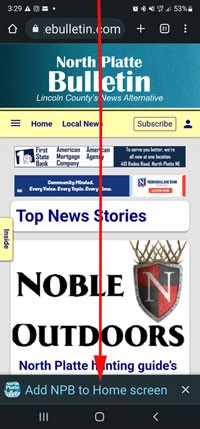
It’s simple to install the Bulletin App on your smart phone or iPad: If you have an Android phone, connect to the Bulletin’s website — https://northplattebulletin.com
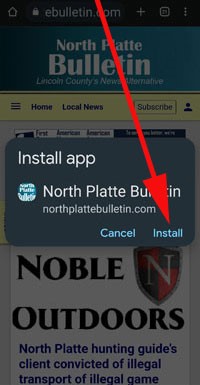
Look at the bottom of the screen for the install command. Tap. Then, install.
If you have an iPhone or iPad:
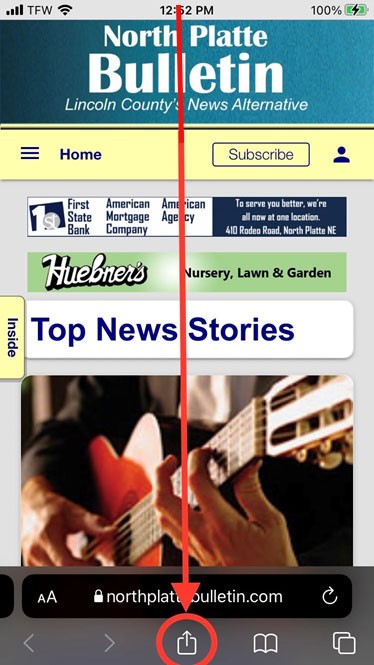
Launch Safari.
Navigate to www.northplattebulletin.com
Tap the Share icon (square with an arrow pointing out of it) at the bottom of the screen.
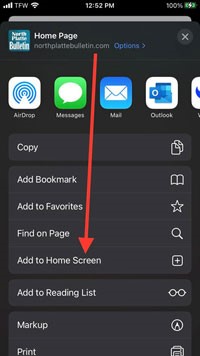
Scroll down to the list of actions and tap “Add to Home Screen” [+].
The Bulletin icon will appear on the page of your home screen where there is space for a new icon. Look for it and move it to the front page for handy access.
This process creates a web app on an Android phone. A web app lives on your phone. It is easy to access. It does not always require an internet connection.











































Talk Back has been disabled by the Author.